Launch price $49.99
This course isn’t open yet, so there is nothing to buy or enrol in. Press Notify me to hear when it opens.
No payment, no account needed. One email on launch day.
The plan
- 7 modules, 39 lessons in the plan
- 3 of 39 lessons recorded so far
- One email when it opens, if you ask for it
What you’ll learn
- Install, configure and use Claude Code, Codex CLI, Gemini CLI, Copilot CLI, Kiro CLI, OpenCode, Aider and Ollama on real tickets
- Choose the right agent for a task with evidence: tests, diff size, time and cost
- Write instruction files, skills and handover notes that every tool and every new session follows
- Judge agent output with tests and review checklists, and track cost per ticket
- Orchestrate sub-agents, parallel agents in git worktrees and cross-tool hand-offs, and recover from failures
- Connect agents to tools with MCP, read-only first
- Run agents safely: permissions, secrets, prompt-injection defence, headless review in CI
- Lead a team of agents that ships a real release, with you approving every merge
Course content
The whole course is planned below. Lessons marked Coming soon are on the way; the others are ready to watch.
- Course introduction: from chat to a team of agentsSee the StatusDesk project, the ticket board and the final release you will ship. Hands-on: premium intro (§4a) with real footage of every module.Coming soon
- AI chatbots vs AI agents, side by sideSame as free F01 (one recording, two courses). Hands-on: same question to a chat and to an agent.Coming soon
- Tokens, context windows and why agents forgetMeasure what fills an agent's context on a real repo and keep it lean. Hands-on: count tokens of the repo, see compaction happen, trim with ignore files.Coming soon
- How agents plan, use tools and execute tasksRead an agent's plan, tool calls and diff, and stop it when it goes wrong. Hands-on: watch SD-101 being investigated; interrupt and redirect.Coming soon
- Local environment: WSL, macOS or Linux, Git and GitHubPrepare a clean, safe workstation for agents (Node, Python, Docker, Git, gh). Hands-on: install check script turns green.Coming soon
- All the CLIs in one container (based on the owner's agents-cli image)Run every CLI from one pinned, non-root container with your project mounted and credentials passed at run time, never baked in. Hands-on: build the course image, check versions, open StatusDesk in a devcontainer.Coming soon
- Meet StatusDesk and the ticket boardClone the course project, run it, run its tests and read the backlog. Hands-on: docker compose up, tests, TASKS.md / STATUS.md walk-through.Coming soon
- Optional: a cloud dev VM on AWS or Azure with TerraformCreate (and destroy) a budget-capped dev VM on ONE cloud of your choice. Hands-on: terraform apply → work → terraform destroy; budget alert first.Coming soon
- SSH and VS Code Remote: agents on a remote machineConnect VS Code to the VM (or WSL) and run an agent there safely. Hands-on: Remote-SSH into the VM, run an agent in its terminal.Coming soon
- Claude Code: install, configure, fix SD-101Install, sign in, set permissions, and fix a real bug test-first. Hands-on: SD-101: failing test → fix → PR.Coming soon
- OpenAI Codex CLI: install, configure, build SD-102Install, sign in, choose approval mode, and add a feature with tests. Hands-on: SD-102: feature + tests + README.Coming soon
- Gemini CLI: install, configure, fix the docs in SD-105Install, sign in, use GEMINI.md, and rewrite docs verified by a clean run. Hands-on: SD-105: README + ARCHITECTURE verified.Coming soon
- GitHub Copilot CLI: install, configure, cure the flaky test SD-104Install, sign in, use repo instructions, and fix a flaky test properly. Hands-on: SD-104: run 20x green.Coming soon
- Kiro CLI (formerly Amazon Q Developer CLI): harden the Dockerfile in SD-107Install, sign in with Builder ID, and slim and secure a container image. Hands-on: SD-107: non-root, multi-stage, scanned.Coming soon
- OpenCode and Aider: the open-source agents on SD-103Use two open-source agents on a breaking dependency upgrade and compare. Hands-on: SD-103: upgrade with green tests.Coming soon
- Local models with Ollama: privacy, cost and honest limitsRun a local model behind an agent and measure where it falls short. Hands-on: same small ticket with a local model vs a hosted one.Coming soon
- Choosing the tool: one ticket, three agents, measuredCompare agents on the same ticket by tests passed, diff size, time and cost. Hands-on: a scored comparison table, kept in the repo.Coming soon
- Agent Markdown files: what each tool reads by itselfKnow which files are auto-discovered by which tool and which are just your convention. Hands-on: the compatibility matrix, proven by asking each tool.Coming soon
- CLAUDE.md in depth (from our Claude Code lessons)11:47
- Quiz: CLAUDE.md in depth (from our Claude Code lessons)
- The .claude folder: settings, permissions and what goes in git17:43
- Quiz: The .claude folder
- One AGENTS.md for every tool (and GEMINI.md, copilot-instructions)Write one source of truth and make each tool load it, with precedence and conflicts handled. Hands-on: AGENTS.md + thin per-tool files; each tool proves what it loaded.Coming soon
- Reusable skills: build a code-review skill and a Docker skillCreate, test and version two skills and reuse them across tasks. Hands-on: skills validated on SD-107 and a PR.Coming soon
- Memory and handover: a fresh session continues the workUse STATUS.md, HANDOVER.md and decisions so a new session (or another tool) resumes correctly. Hands-on: kill the session mid-ticket; a new one finishes it.Coming soon
- Is the agent's work good? Tests, a review checklist and evidenceJudge agent output with tests, a checklist and evidence, not impressions. Hands-on: review checklist applied to two agent PRs; one rejected.Coming soon
- Cost and tokens per ticketTrack tokens and cost per ticket and set budgets. Hands-on: cost column on the ticket board.Coming soon
- Master agents and native sub-agentsUse native sub-agents for research/review and keep the lead agent in charge. Hands-on: lead agent + reviewer sub-agent on SD-110.Coming soon
- Delegation: task IDs, owners, dependencies and acceptance criteriaBreak work into tickets agents can finish and humans can check. Hands-on: SD-108 split into 3 tasks with ownership on the board.Coming soon
- Parallel agents with git worktreesRun two agents in parallel without touching the same files, then merge with review. Hands-on: SD-110 and SD-111 in two worktrees, merged by you.Coming soon
- Claude plans, Codex builds, Gemini reviews: cross-tool collaborationHand work between different tools through files, with structured results. Hands-on: plan.md → implementation → review.md on one ticket.Coming soon
- When an agent breaks the build: revert, root cause, guardRecover safely from a bad agent change and stop it happening again. Hands-on: SD-113: revert, required checks, lessons learned.Coming soon
- Your first MCP server, used by Claude Code and Codex (from our MCP lessons)19:50
- Quiz: Your first MCP server, used by Claude Code and Codex (from o
- MCP in your agent CLIs: the GitHub server, read-onlyConnect agents to GitHub through MCP with read-only scope and see what they can and cannot do. Hands-on: agents read issues/PRs of StatusDesk; write tools disabled.Coming soon
- Permissions, sandboxes and approvals in each toolSet safe defaults per tool and know what each approval mode allows. Hands-on: same risky request in each tool; what each blocks.Coming soon
- Secrets hygiene and an audit trail for agent workKeep secrets out of prompts and git, and keep a record of what agents did. Hands-on: SD-106: secret removed from history, pre-commit + gitleaks, agent log.Coming soon
- Prompt injection in your repo: spot it and contain itRecognise instructions hidden in project content and limit what an agent can do with them. Hands-on: SD-112: the planted issue; the agent refuses; detection rule.Coming soon
- Headless agents in CI: a read-only AI review on every pull requestRun an agent non-interactively in GitHub Actions with least privilege and a cost cap. Hands-on: SD-109: workflow comments on PRs, contents:read only.Coming soon
- Project: rebuild the public status page with a team of agentsLead, developer, docs, QA and security agents deliver an accessible page you sign off. Hands-on: SD-111 end to end, browser-verified.Coming soon
- Capstone: an AI-powered DevOps team ships StatusDesk v1.1Drive the board to done: tickets, PRs, CI, container, release and deploy, with human approval. Hands-on: SD-114 release on your VM or locally.Coming soon
- Final assessment, cleanup and next stepsProve what you learned, clean up the cloud and choose what's next. Hands-on: final assessment + destroy + next courses.Coming soon
Requirements
- Terminal and Git at a basic level (recapped in the course)
- Docker installed (setup lesson included)
- Accounts for the AI tools you choose; at least one is required (several have free tiers; costs are shown per lesson)
- Optional: an AWS or Azure account with a budget alert for the cloud VM lesson (one cloud is enough)
About this course
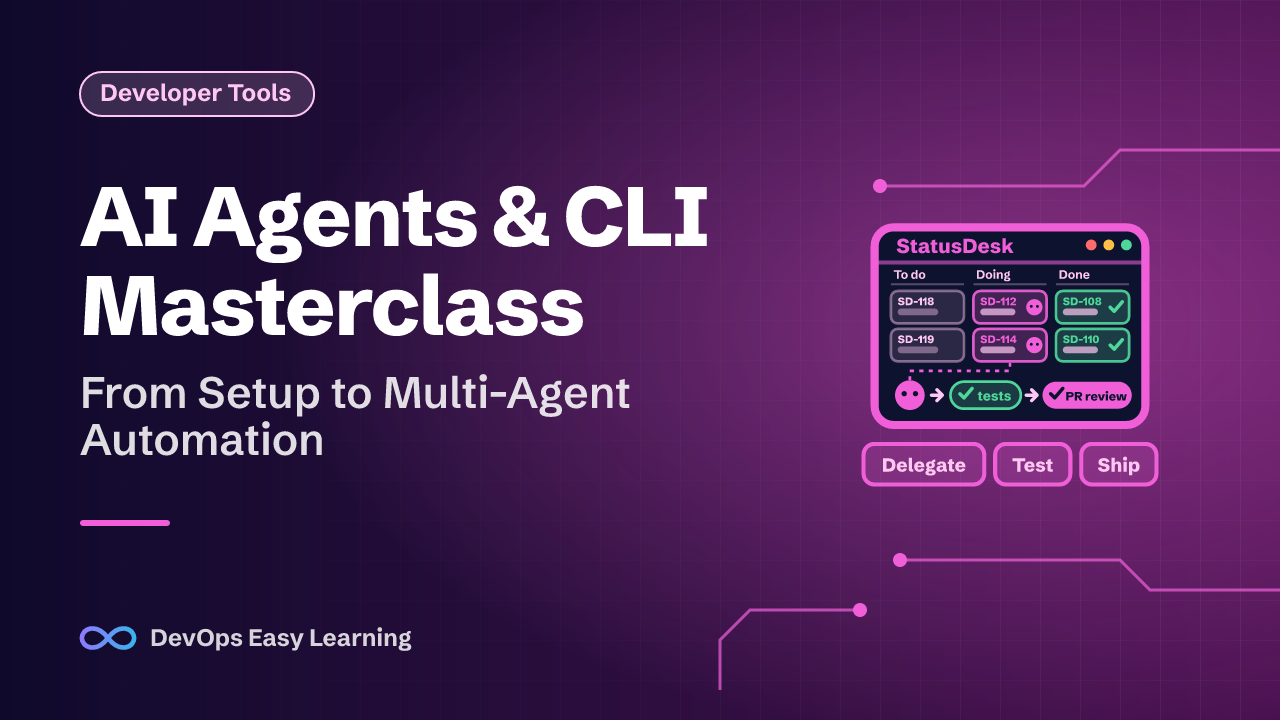
Learn AI coding agents the way teams actually use them: on a real project with a real backlog. You'll set up Claude Code, OpenAI Codex CLI, Gemini CLI, GitHub Copilot CLI, Kiro CLI, OpenCode, Aider and local models with Ollama, and use each one to close a real ticket in StatusDesk, the course's web app, with tests and a reviewed pull request. Then you make agents remember your project, reuse skills, work in parallel, hand work to each other, run safely in CI, and finally ship a release as an AI-powered DevOps team that you lead.
Coming soon. You can read every lesson below and press "Notify me" to get one email when it opens.
What you'll learn
- Every major AI CLI agent, installed and used on a real ticket, compared by evidence
- AGENTS.md, CLAUDE.md, GEMINI.md, copilot instructions, skills, memory and handover that survive a fresh session
- Quality gates for agent work: tests, review checklists, cost per ticket
- Orchestration: sub-agents, delegation, git worktrees, cross-tool hand-offs, failure recovery, MCP
- Safety: permissions, secrets, prompt injection, headless agents in CI with least privilege
- Two projects: a multi-agent website and a capstone release of StatusDesk
Who it's for
Developers, DevOps and platform engineers who use the terminal and Git (the basics are recapped). No previous agent experience needed. AI tools have their own subscriptions or API costs; every lesson says what it needs, and local/free options are shown.
Course designer
Tia
Course designer at DevOps Easy Learning